
If your primary market isn't in the EEA, but you use International to sell products to customers in the EEA, then compare-at prices are hidden by default and we can't show the discounted price.
How to disable hiding CompareAtPrice
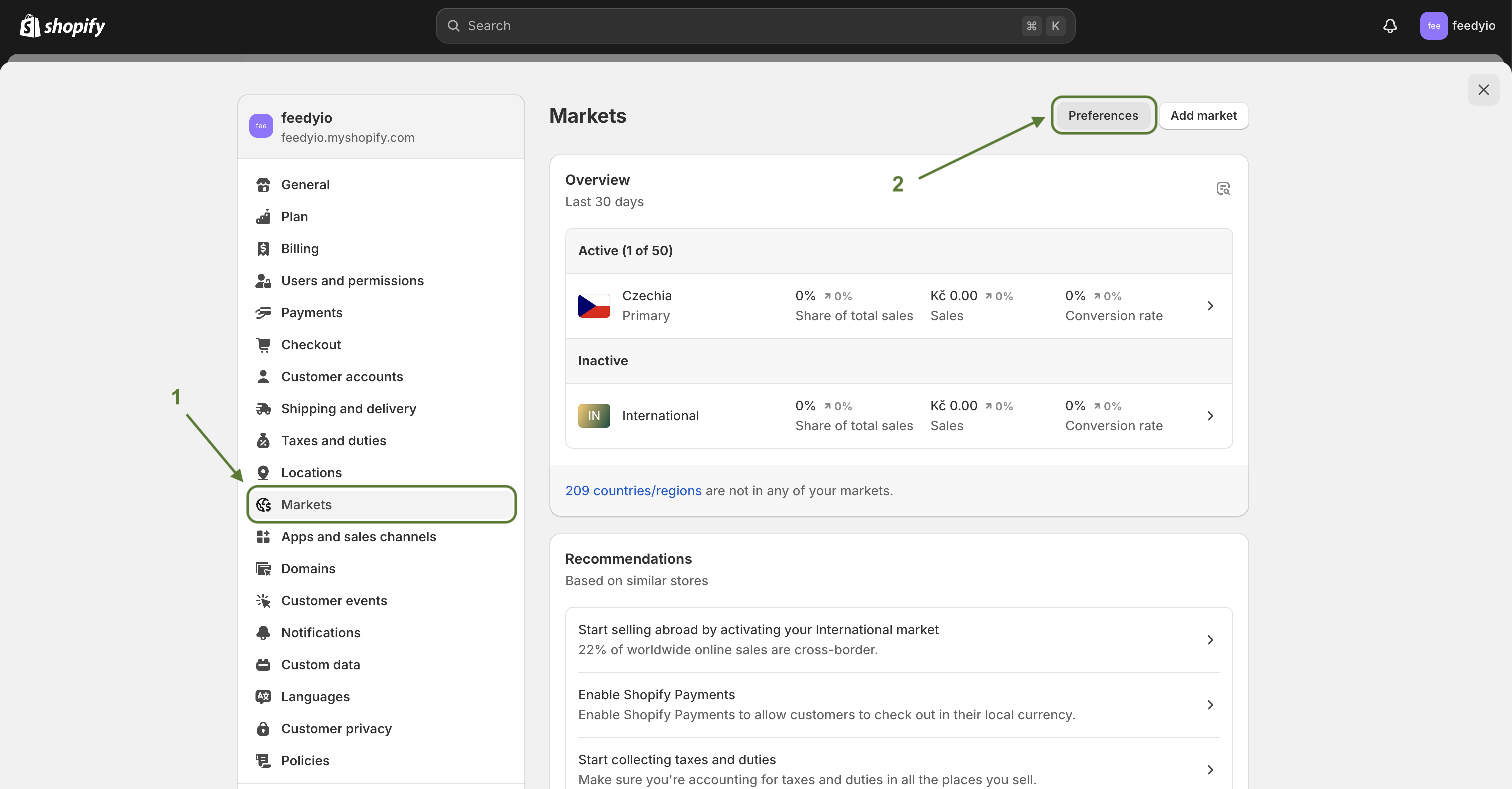
From your Shopify admin, go to Settings > Markets.
Click Preferences.
Disable Compare-at price hiding.
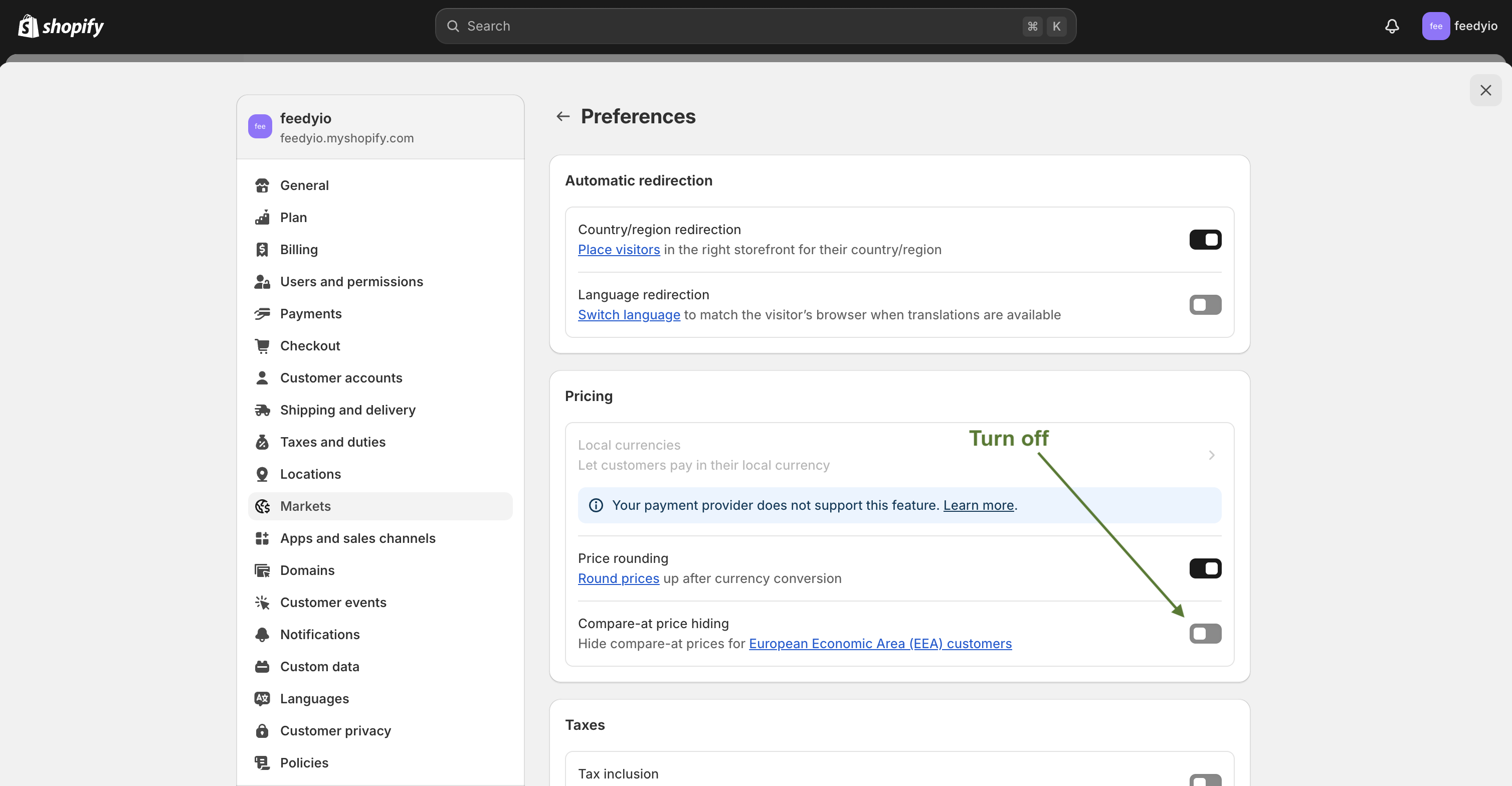
Click Save.
Resync your products manually or wait for auto-synchronization