Before you start, you'll need your account GUID. You'll find it in the Ceneo merchant panel (shops.ceneo.pl) under Bezpieczeństwo zakupów → Program Zaufanych Opinii → Konfiguracja. It looks like this: d991a4cf-4dba-4d9a-b0fa-e9d02e20e4ef.
In your Shopify admin, go to Settings → Customer events.
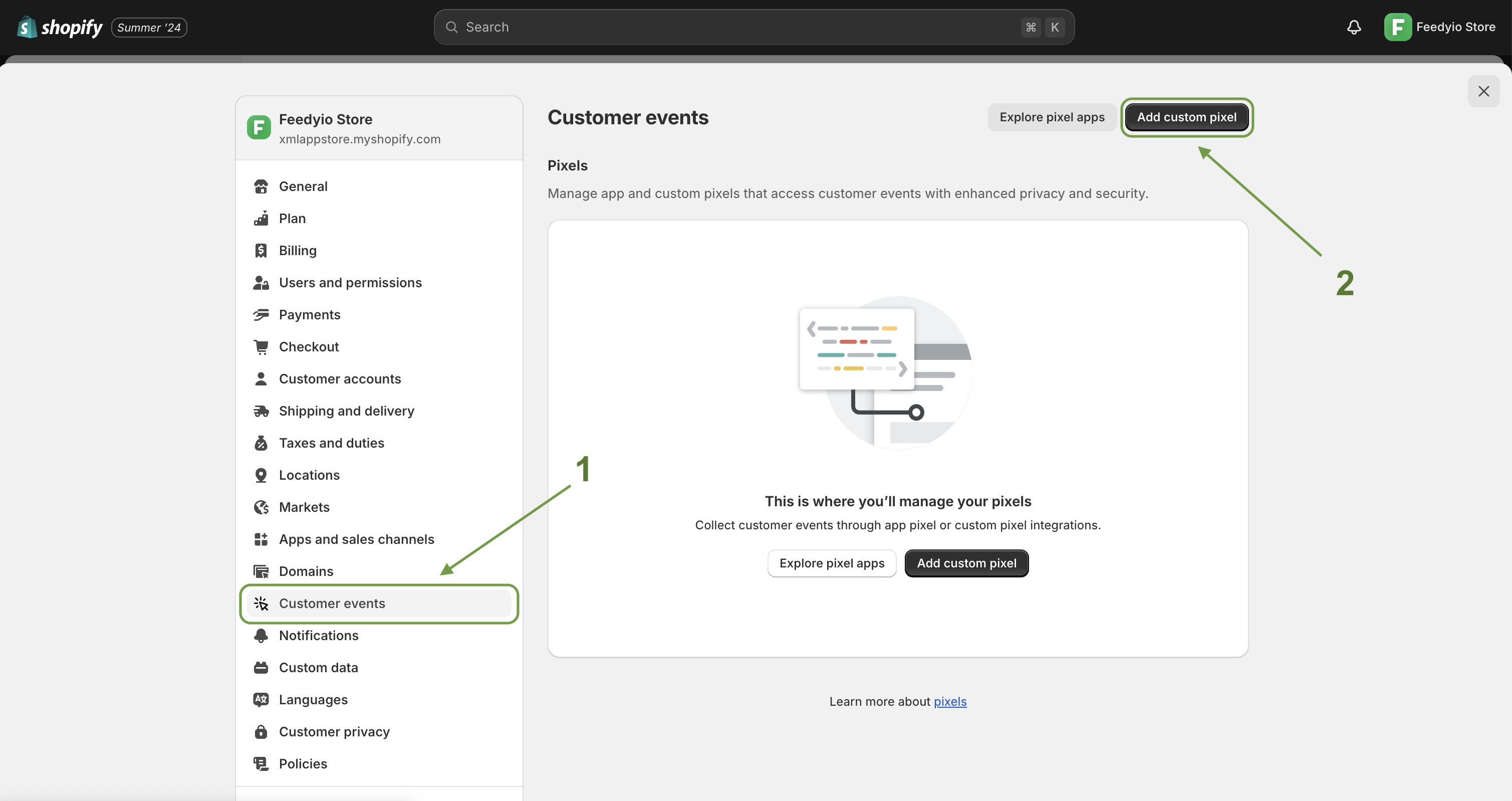
Click Add custom pixel.
Give the pixel a distinctive name — for example Ceneo — and confirm with Add pixel.
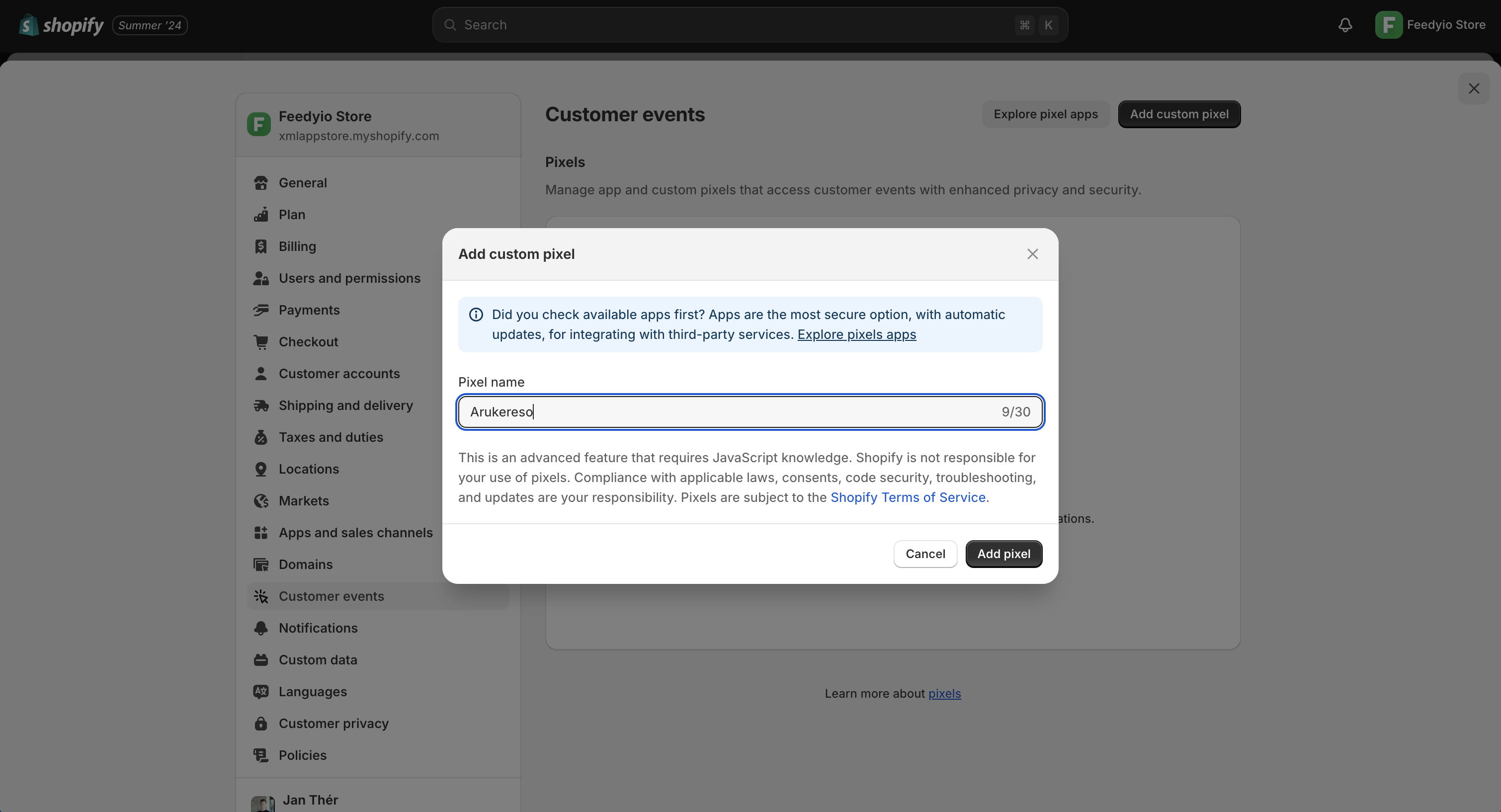
Paste the code below into the code window and replace __ACCOUNT_GUID__ with your own GUID from the Ceneo panel.
// Load the Ceneo tracking script (v5)
window._ceneo = window._ceneo || function () {
  window._ceneo.e = window._ceneo.e || [];
  window._ceneo.e.push(arguments);
};
window._ceneo.e = window._ceneo.e || [];

var ceneoScript = document.createElement('script');
ceneoScript.defer = true;
ceneoScript.src =
  'https://ssl.ceneo.pl/ct/v5/script.js?accountGuid=__ACCOUNT_GUID__&t=' +
  Date.now();
var firstScript = document.getElementsByTagName('script')[0];
firstScript.parentNode.insertBefore(ceneoScript, firstScript);

const mapItem = (lineItem) => {
  const variant = lineItem.variant;
  return {
    // Must match the product ID in your Ceneo product feed.
    // If your feed uses SKUs, change this to: variant.sku
    id: variant.id.toString().split('/').pop(),
    price: Number(variant.price.amount),
    quantity: lineItem.quantity,
    currency: variant.price.currencyCode
  };
};

analytics.subscribe('checkout_completed', (event) => {
  const checkout = event.data.checkout;

  _ceneo('transaction', {
    client_email: checkout.email,
    // order_id: digits/letters only, max 32 characters
    order_id: checkout.order.id.toString().split('/').pop(),
    shop_products: checkout.lineItems.map(mapItem),
    work_days_to_send_questionnaire: 3,
    amount: Number(checkout.totalPrice.amount)
  });
});
Click Save, then Connect to activate the pixel.
Optionally, adjust the Permission and Data sale settings in the Customer privacy section of the pixel to match your store's consent setup.
Parameter | Required | Description |
| Yes | Customer's email — Ceneo sends the review questionnaire here. |
| Yes | Any string of digits and letters, max 32 characters. |
| Yes | Array of purchased items: |
| Yes | Total order value, decimal separator is a dot. |
| No | Business days before the questionnaire is sent (0–21, default 3). Set it roughly to your delivery time. |
Tip: the id of each product should match the offer ID in the product feed you send to Ceneo. If your Feedyio feed uses variant IDs, keep the code as is; if it uses SKUs, swap in variant.sku.
Place a test order in your store.
On the thank-you page, open your browser's developer tools (Network tab) and look for requests to ssl.ceneo.pl — you should see ct/v5/script.js load and a transaction request fire.
The transaction should appear in the Ceneo merchant panel under the Zaufane Opinie program shortly after.
The questionnaire email is sent after the number of business days set in work_days_to_send_questionnaire.
Because the script passes the customer's email to Ceneo, make sure your store's terms include the recommended clause about sharing email and purchase data with Ceneo for the review questionnaire (wording is provided in the Ceneo merchant panel).
Ceneo Zaufane Opinie has no server-side API — this Custom Pixel is the supported integration path on Shopify.
If you only want to track customers who explicitly consented, Ceneo's script supports manual consent mode — see the official Ceneo integration guide.