For zbozi.cz conversion tracking, there are two available modes:
Limited Tracking – requires only a standalone Custom Pixel to capture basic conversion data.
Standard Tracking – Requires a Custom Pixel and the Feedyio app with an active Zbozi.cz Integration, which automatically sends detailed order information. Feedyio can also be used to collect and submit Customer Reviews.
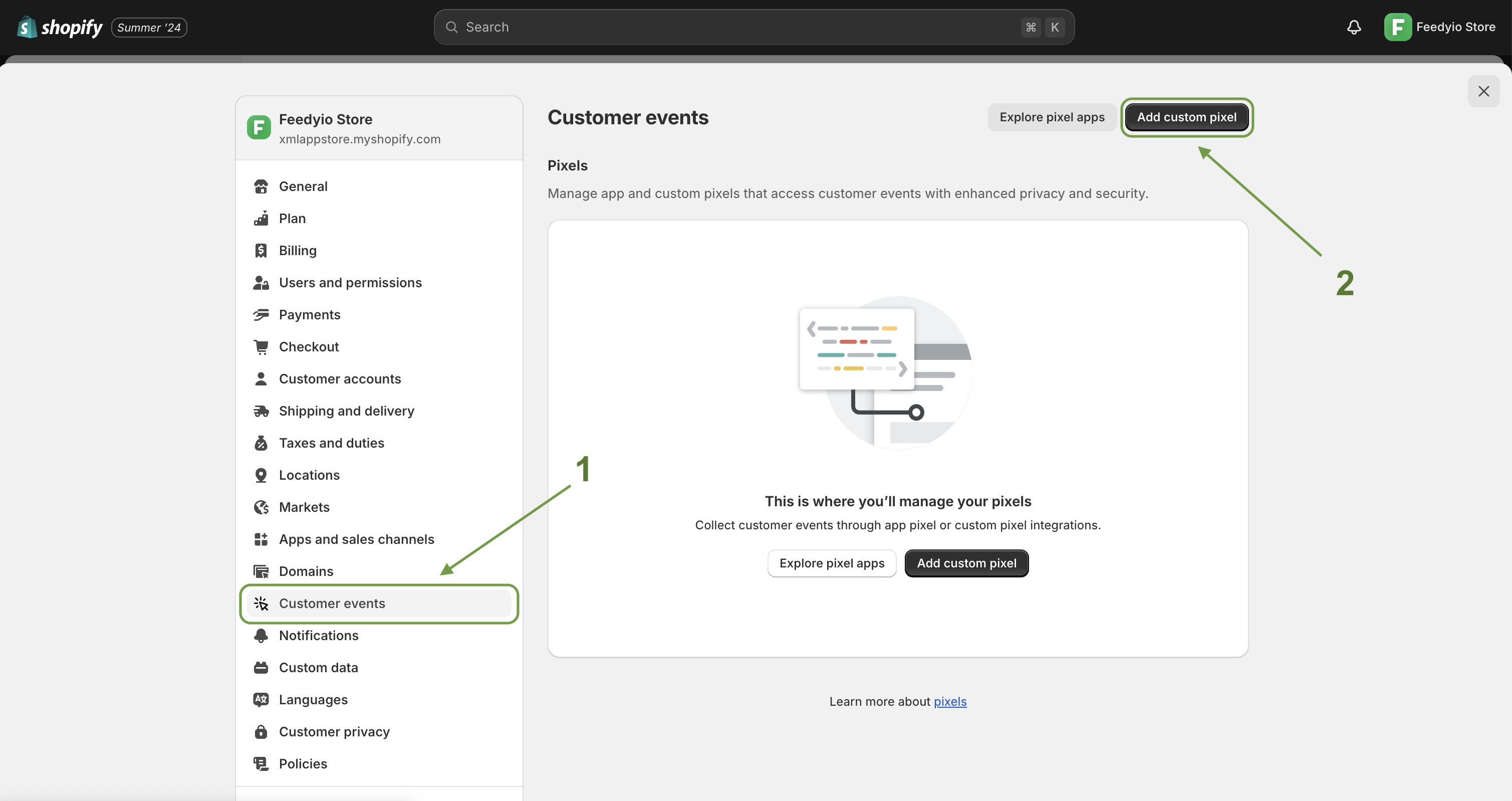
From your Shopify admin, go to Settings > Customer events.
Click ⊕ Add custom pixel.
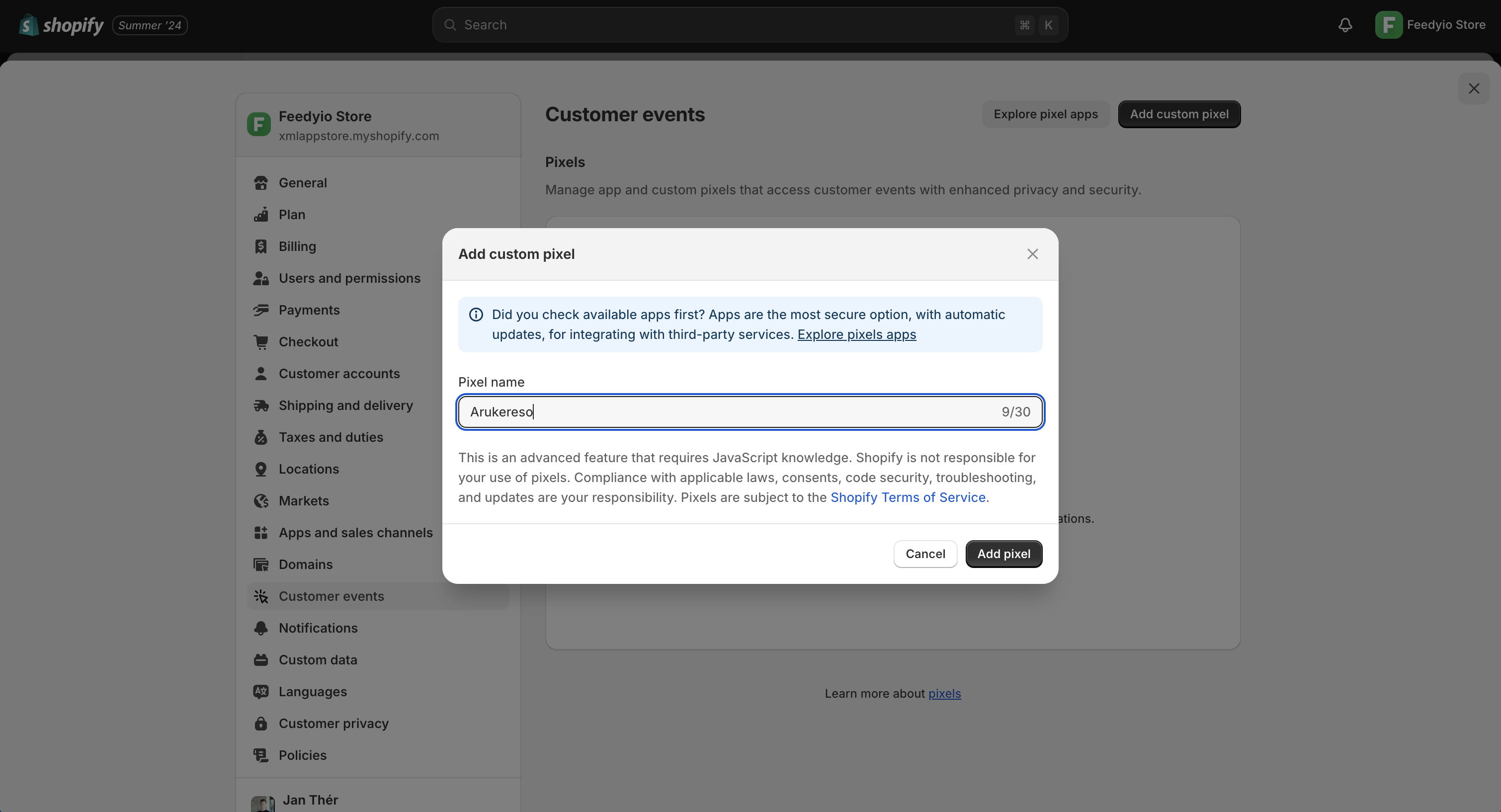
Give your pixel a unique name (e.g. Zbozi) and click Add pixel
Paste your code generated from the Integration page into the Code window. Don’t forget to fill in the values for CONV_ID, ZBOZI_ID, and RTG_ID. If you don’t have a value, leave it as null.
CONV_ID: Conversion ID from your Sklik account (e.g. 123456789)
ZBOZI_ID: Shop ID / Store ID from zbozi.cz (e.g. 987654321)
RTG_ID: Retargeting ID from your Sklik account (e.g. 112233445)
(function() {
    var CONV_ID = null;   // Replace null with your Conversion ID number, or leave as null if not used
    var ZBOZI_ID = null;  // Replace null with your Zbozi ID number, or leave as null if not used
    var RTG_ID   = null;  // Replace null with your Retargeting ID number, or leave as null if not used

    if (!window._rcLoading) {
        window._rcLoading = true;
        var s = document.createElement("script");
        s.src = "https://c.seznam.cz/js/rc.js";
        s.onload = function() {
            window.dispatchEvent(new CustomEvent("szn-rc-loaded"));
        };
        document.head.appendChild(s);
    }
    var sendConversion = function(conversionConf) {
        window.rc.conversionHit(conversionConf);
    };
    var sendRetargeting = function(retargetingConf) {
        window.rc.retargetingHit(retargetingConf);
    };
    var hasConsent = function() {
        return init.customerPrivacy.saleOfDataAllowed;
    };
    var getConsent = function() {
        var consentResult = init.customerPrivacy.saleOfDataAllowed;
        if (consentResult === true) {
            return 1;
        }
        if (consentResult === false) {
            return 0;
        }
        return -1;
    };
    var updateIS = function(data) {
      if (window.sznIVA && window.sznIVA.IS) {
          if (getConsent()) {
              if (data.eid) {
                  window.sznIVA.IS.updateIdentities({
                      eid: data.eid,
                  });
              }
              if (data.tid) {
                  window.sznIVA.IS.updateIdentities({
                      tid: data.tid,
                  });
              }
          } else {
              window.sznIVA.IS.clearIdentities(["tid", "eid"]);
          }
      }
    }
    analytics.subscribe("checkout_completed", (event) => {
        if (!event.data) {
            return;
        }
        updateIS({
            eid: event.data.checkout.email,
            tid: event.data.checkout.phone
        });
        var conversionConf = {
            id: CONV_ID,
            value: event.data.checkout.totalPrice.amount,
            orderId: event.data.checkout.order.id,
            zboziId: ZBOZI_ID,
            zboziType: "standard",
            consent: getConsent(),
        };
        if (window.rc && window.rc.conversionHit) {
            sendConversion(conversionConf);
        } else {
            window.addEventListener("szn-rc-loaded", function() {
                sendConversion(conversionConf);
            });
        }
    });
    analytics.subscribe("page_viewed", (event) => {
      updateIS({
          eid: init.data.customer?.email,
          tid: init.data.customer?.phone
      });
      var retargetingConf = {
          rtgId: RTG_ID,
          rtgUrl: event.context.window.location.href,
          consent: getConsent(),
      };
      if (window.rc && window.rc.retargetingHit) {
          sendRetargeting(retargetingConf);
      } else {
          window.addEventListener("szn-rc-loaded", function() {
              sendRetargeting(retargetingConf);
          });
      }
    });
})();
Optional: In the Customer privacy section, select the Permission and Data sale settings that you want to adjust
Click Save. If you're ready to connect your custom pixel, click Connect to start tracking your events.
Source: https://napoveda.sklik.cz/navod-na-nastaveni-mericiho-kodu-pro-seznam-cz-v-shopify/